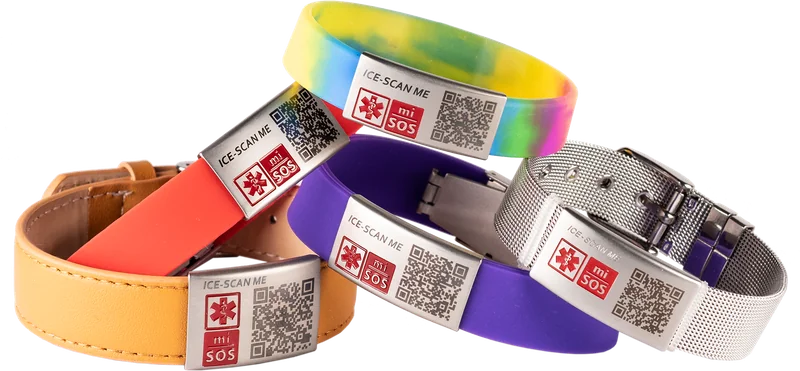
The bands
wear it your way
Every mi-SOS band carries a unique QR code linked to your emergency profile. Choose the style that suits your life, from £12.
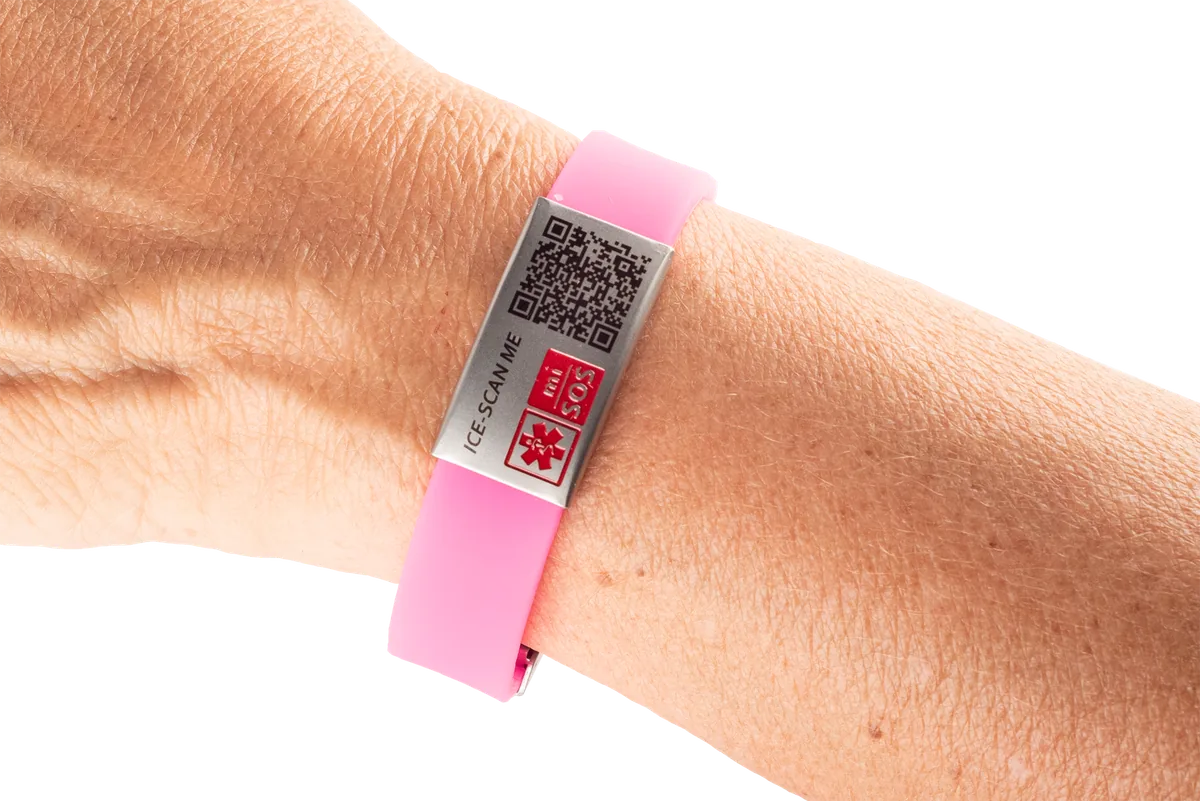
From £12
Lightweight, waterproof and comfortable enough to forget you are wearing it. Perfect for sport, swimming, school and busy everyday life.
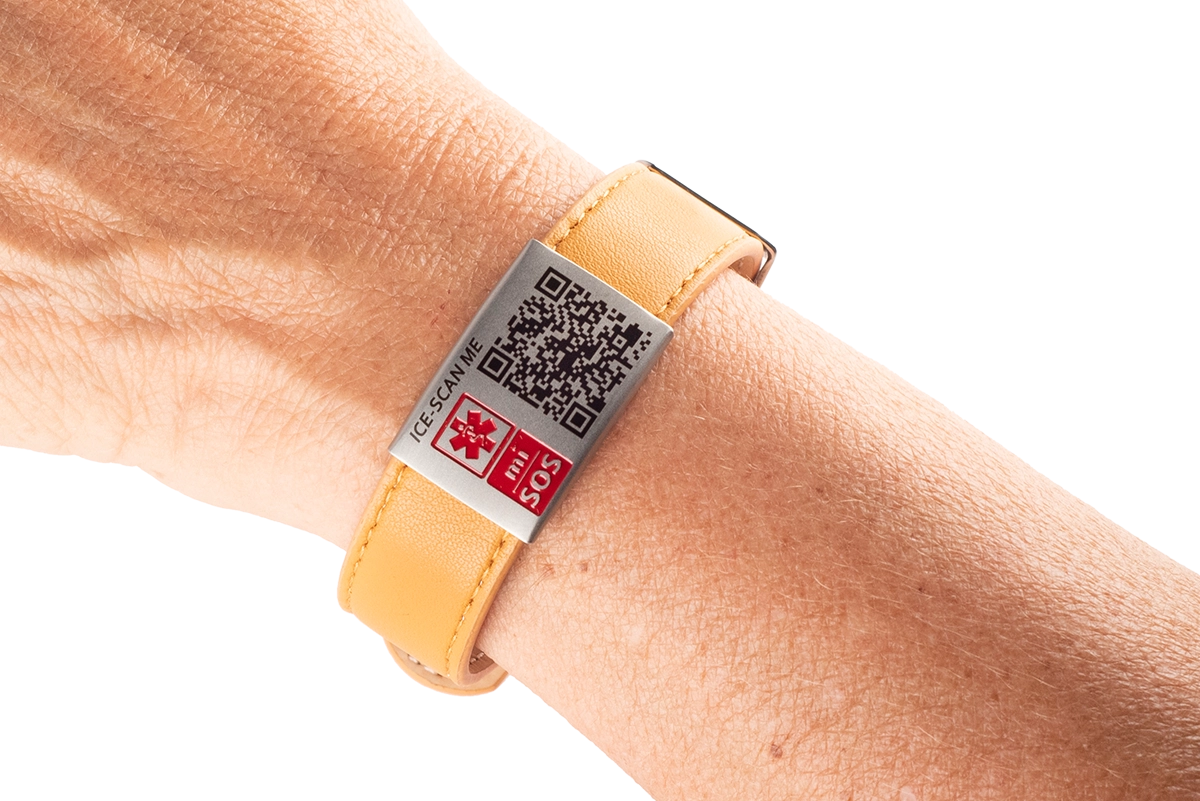
From £29
Premium tan leather that looks like a piece of jewellery, not medical equipment. Refined enough for any occasion, from school runs to boardrooms.
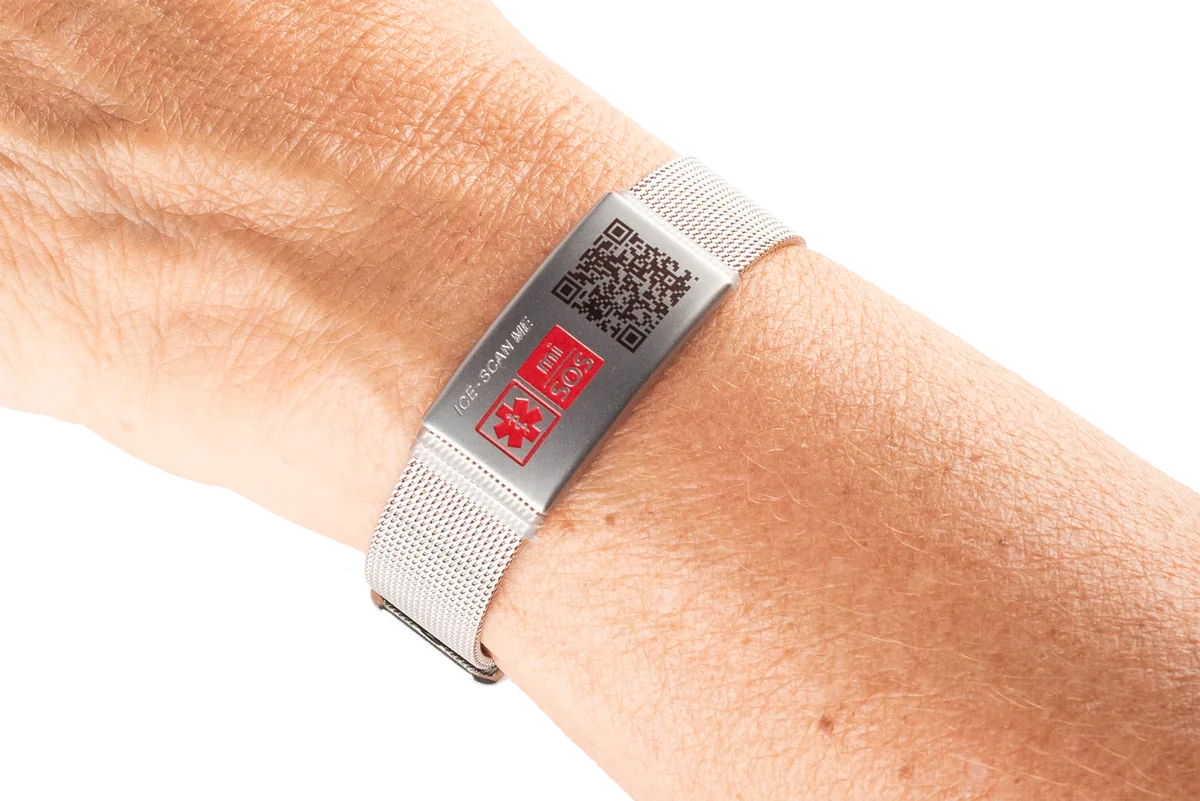
From £29
Stainless steel with an elegant brushed finish and a secure clasp. Supplied with a luxury carry pouch, made to be worn for years.
simple as 1, 2, 3
Pick the band for an adult, child or pet and complete your order.
When your band arrives, use the unique band code to add it to your account.
Choose which person or pet the band protects. From then on, scanning the QR code shows only the emergency information you have chosen to share.
start in seconds
Given a band, or picked one up in a shop? There is nothing to order. Just scan it to get started.
Point any phone camera at the band. It opens mi-SOS and recognises that the band is new and ready to activate.
Set up your mi-SOS account in a minute. The band code is carried across for you, so there is nothing to type in.
Choose the person or pet the band protects. From then on, scanning shows only the emergency information you have chosen to share.
get the fit right
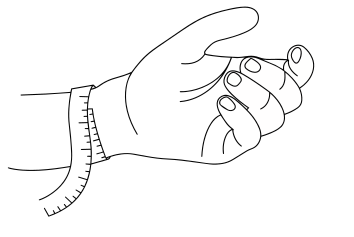
Wrap the tape around your wrist, as close to your hand as possible, and note the exact number.
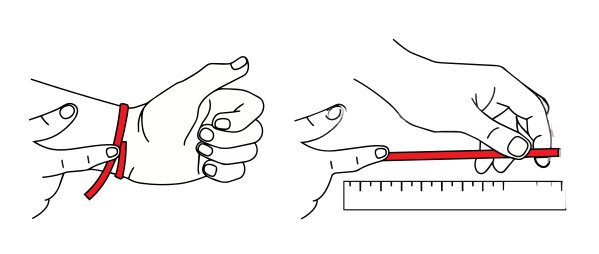
Loop a piece of string around your wrist, then lay it flat along a ruler to read centimetres or inches.
Wrap a tape measure around your wrist, as close to your hand as possible. No tape measure? Use a piece of string and lay it against a ruler.
Use the exact number from the tape to pick your size. Between sizes, or have larger hands? Choose the bigger of the two for a comfortable fit.
The slide-on tag threads onto the collar. Pick the style that matches your collar width.
Between sizes? Choose Broad; it slides onto most everyday collars. Available in a range of colours.
The slide-on tag threads onto your tracker or watch strap. Pick the slider that matches your tracker width.
Between sizes? Choose the wider slider. Available in a range of colours.
five easy steps
Your band and clasp arrive separated so you can trim the band to a perfect fit. Take your time with step 5.
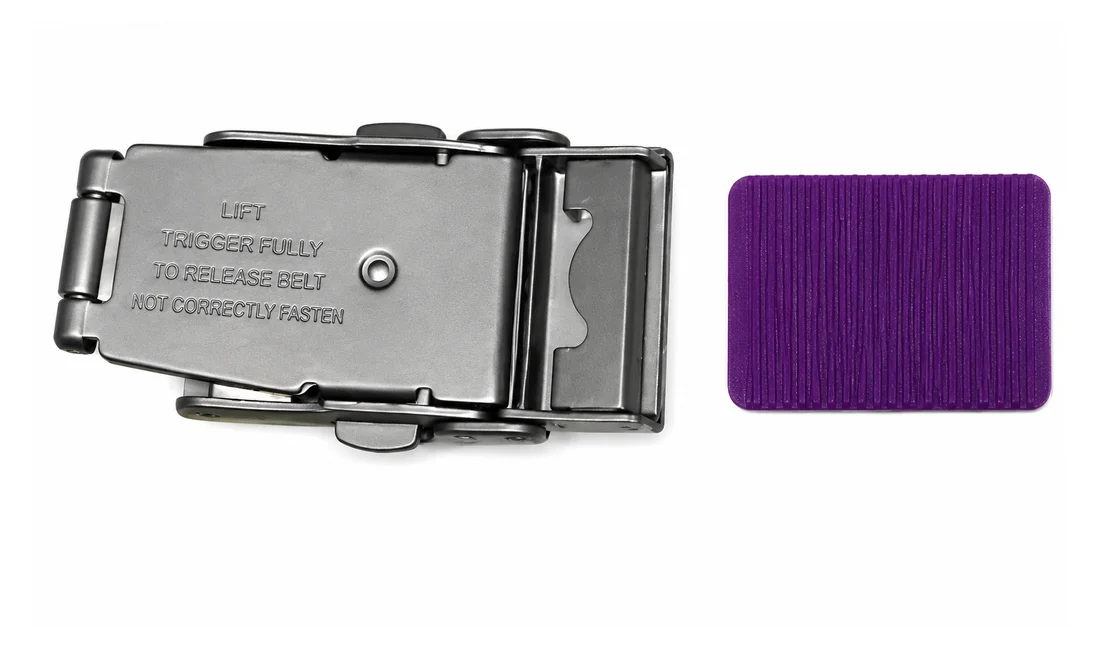
The band and clasp arrive separated. The photo shows the underside of the clasp.
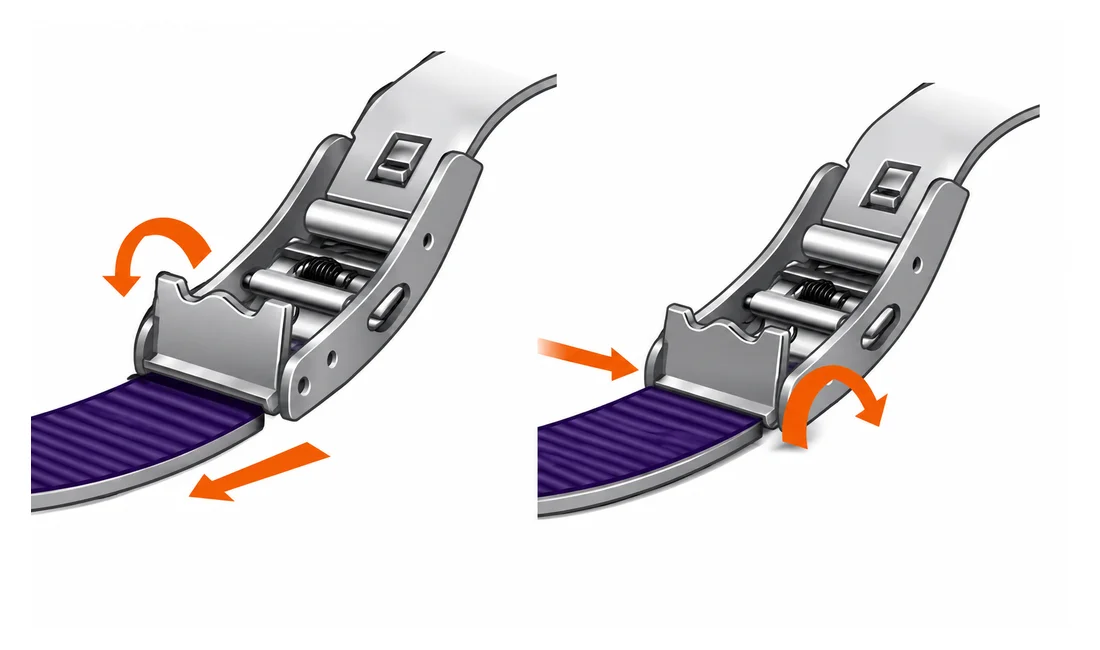
Flip open part of the clasp. This allows the band to slide through the clasp.
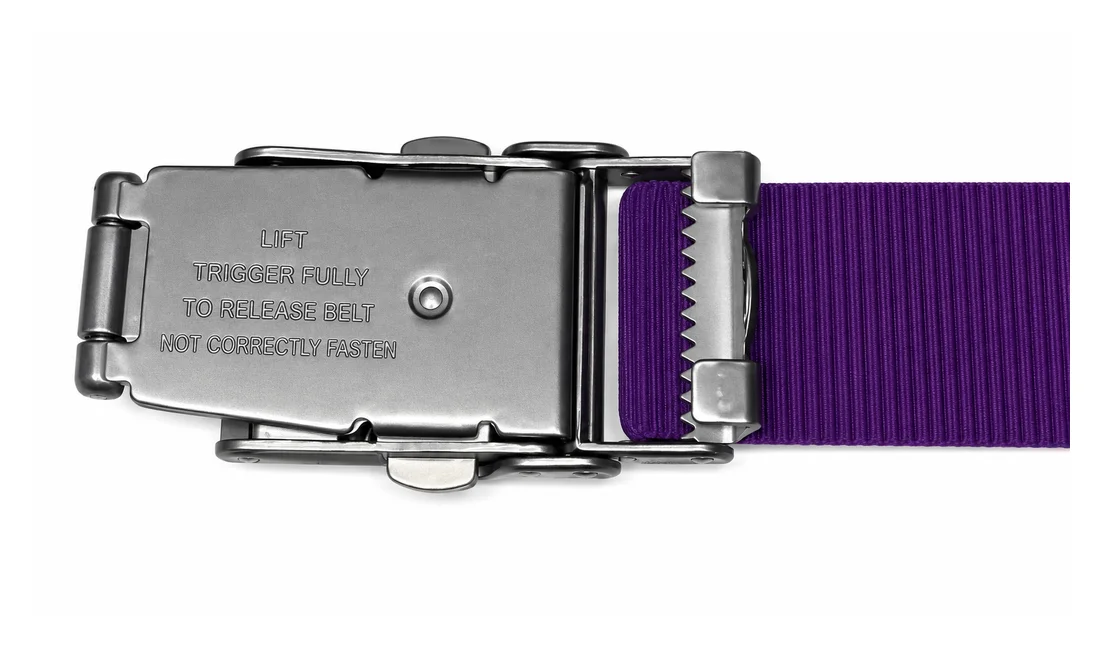
Slide the band through the opening. It will only slide a small amount, this is normal.
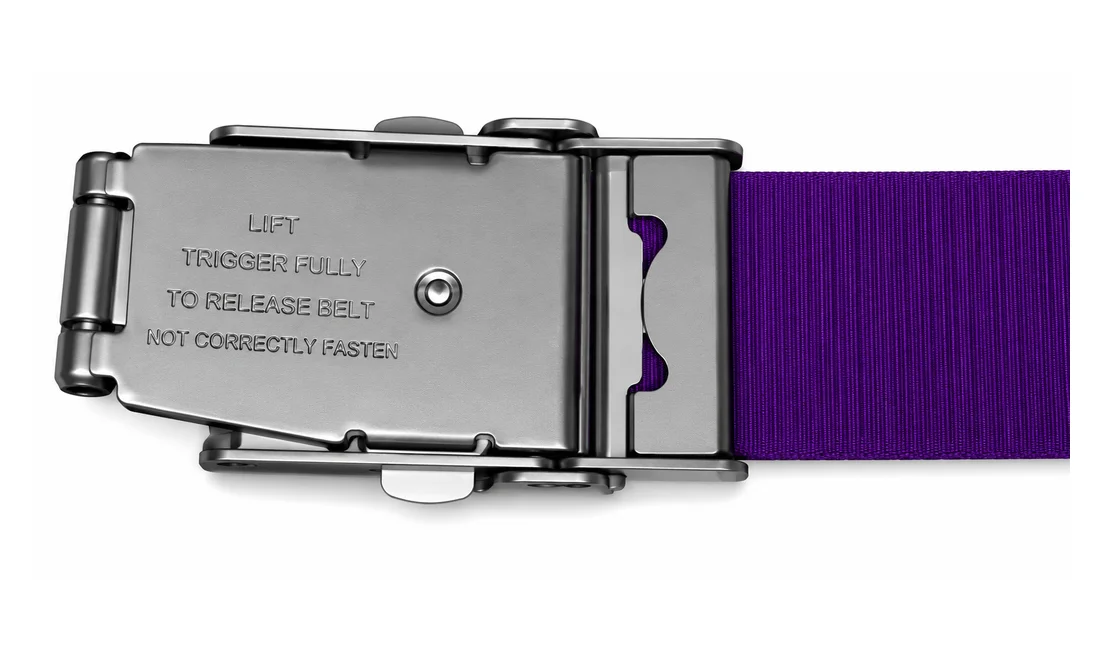
Clamp the flipped part shut, lining the teeth on the clasp into the groove on the band for a secure fit.
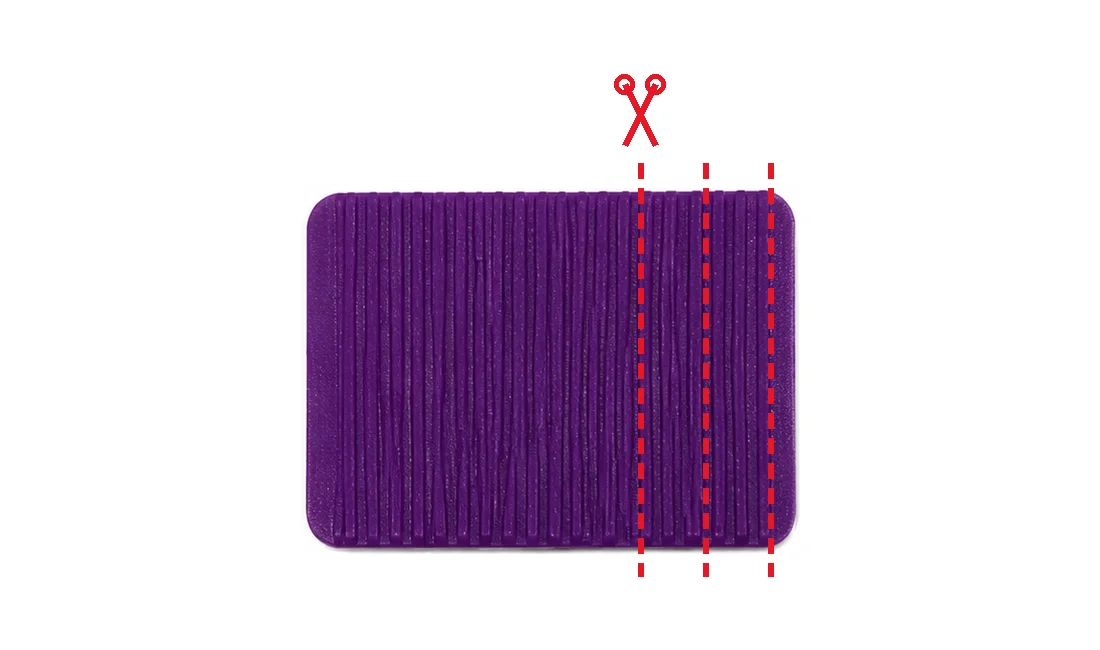
When sizing your band to your desired fit, be sure to cut small sections at a time so you don't cut too much.
Every band works with the free plan. Set up your profile in minutes, link your band, and you're protected.
Pick a band, set up your profile in minutes, and be prepared.